
In order to be able to use dataloader.io in a Salesforce tab you need first to install the canvas app.
Note: this feature is only available for Enterprise and Professional users.
The steps to install this canvas app
- You need to log in to dataloader.io with a Salesforce admin user.
- Navigate to the dataloader.io Settings > User Porfile.
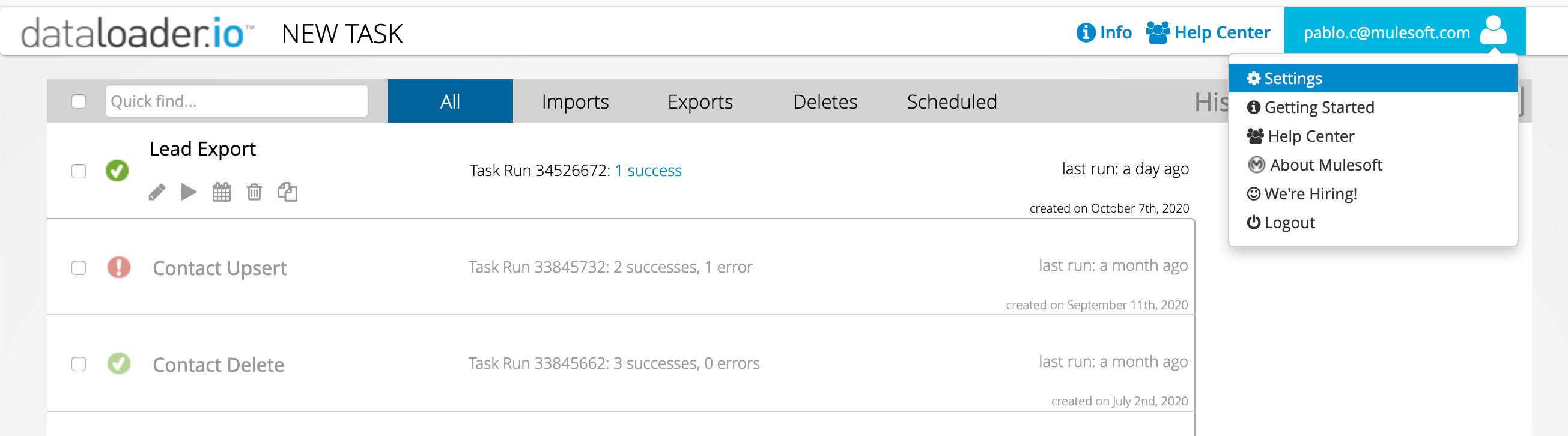
- Click on the button next to "
- Select if the app will be installed for admins only, for a specific user or for all the users.
- Install and wait for it to finish (it will take a few minutes).
Once the installation is finished you will be able to find dataloader.io app in Salesforce and it will be loaded embedded in the Salesforce UI.
Hello
I do not have the button "Install Salesforce Canva app"
What do I need to do ?
Thank you
error 'authorizing with Salesforce" when i open the dataloader tab. needs support to get it working
HI I am sravya
I don't have button "Install salesforce canvas app"
How can i resolve it??
Can you check it once and let me know.
1. I am SICK of seeing the notification about the upcoming infrastructure changes EVERY SINGLE TIME I CLICK ON SOMETHING!
2. Wow - ask if the article helps and then DON'T LET ME ACTUALLY SUBMIT MY FEEDBACK!
3. I don't have the option to install Canvas! This is NOT HELPFUL!
4. Dataloader has always been a nightmare to deal with and I would not be using it except every article I've found for exporting Notes, Files, etc. specifically reference DataLoader. Salesforce Inspector Reloaded is a MILLION TIMES BETTER!!!
I WILL FIND ANOTHER WAY!!!!!!
{
"error": "Empty error"
}
The above is the error I get when trying to sign in to dataloader.io in Salesforce, which appears necessary to authorize the app. The same error over and over a dozen times ... have not seen any support docs mentioning this.